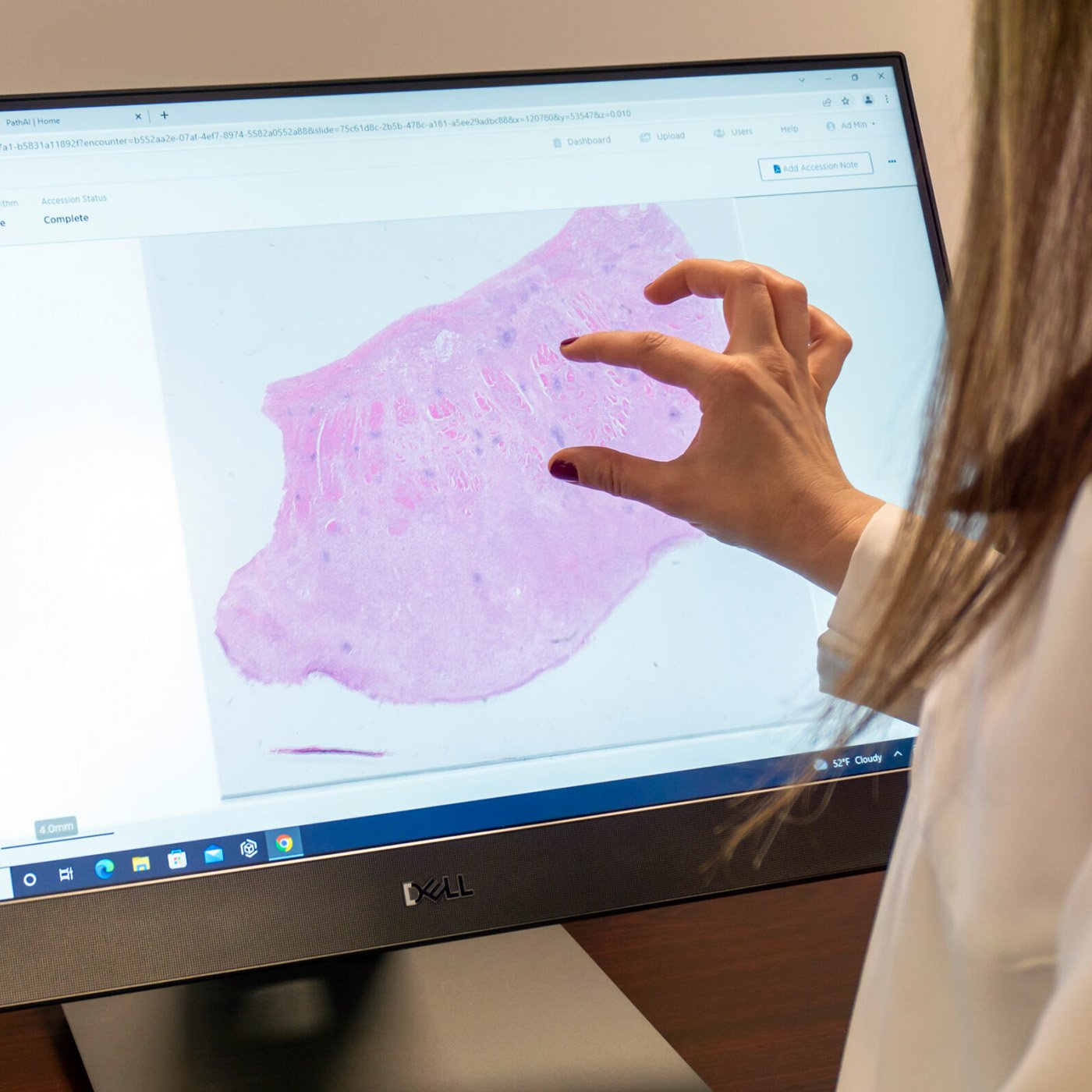
We're thrilled to announce the release of AISight® Dx v2.21, the latest update to PathAI's FDA-cleared digital pathology platform. This release represents a significant leap forward in customizability, putting intelligence and control in the hands of every user - from individual clinicians to lab administrators managing enterprise-scale operations.
This release delivers dashboard customization, powerful slide review enhancements, granular data organization tools, and a new layer of organizational configurability. Whether you're prioritizing cases with real-time algorithm impressions or streamlining navigation with a new seamless motion rotation tool, this release puts the power to shape your workflow directly in your hands. This update reflects direct feedback from our users and our ongoing commitment to removing friction from clinical workflows, so pathologists and lab teams can stay focused on what matters most.
Dashboard Intelligence and Actionable Insights
With v2.21, the Case Assignments Dashboard is now fully customizable - allowing users to select the most relevant widgets, and easily triage their caseload by AI impressions.
A new Algorithm Impressions widget, “My Cases by AI Impression”, displays a live bar chart of algorithm output counts, enabling immediate case prioritization and case-list filtering based on algorithm results without leaving the dashboard.
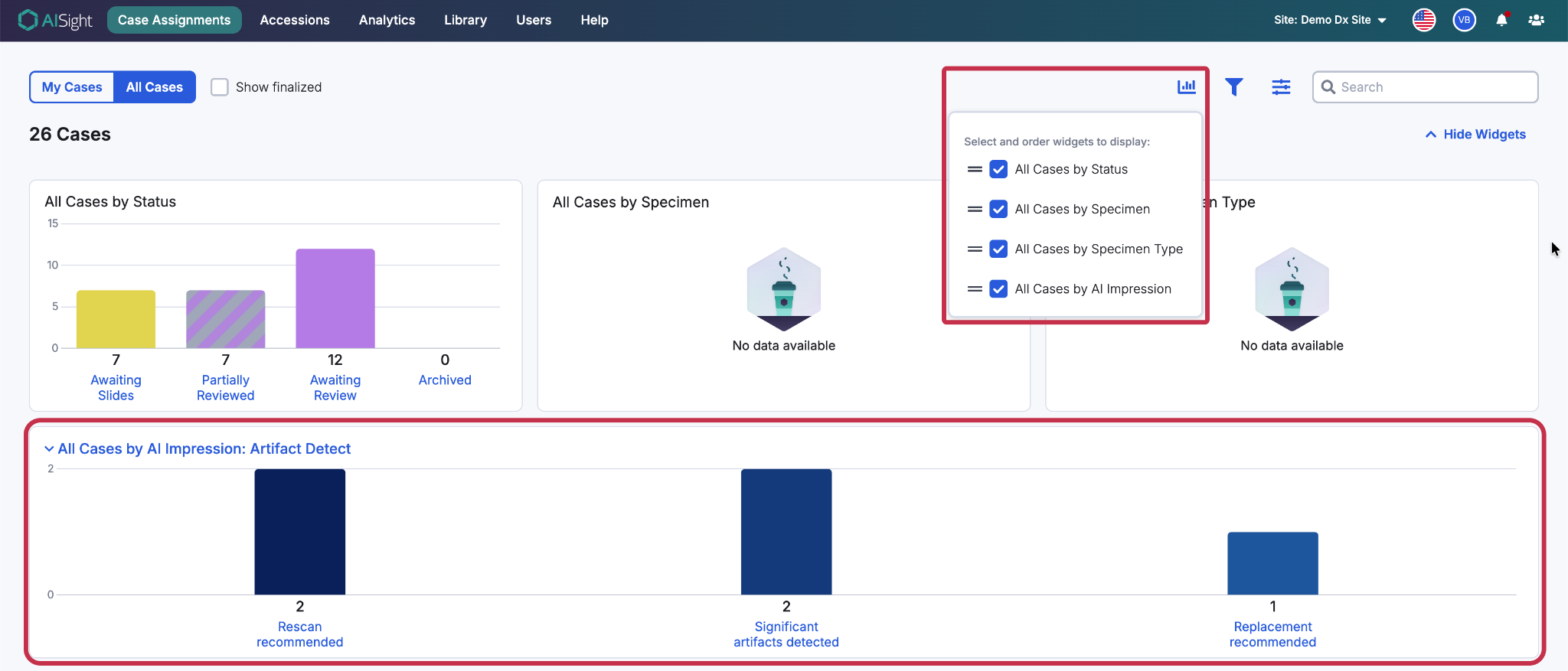
Figure 1: Case assignments dashboard with new widget and widget customization icon
Slide Viewer Enhancements
Bulk actions, intuitive editing, and smarter navigation controls eliminate friction during critical review moments.
Annotation usability has been dramatically improved, now allowing users to select multiple annotations at once and delete in bulk, drastically reducing cleanup time during slide reviews.
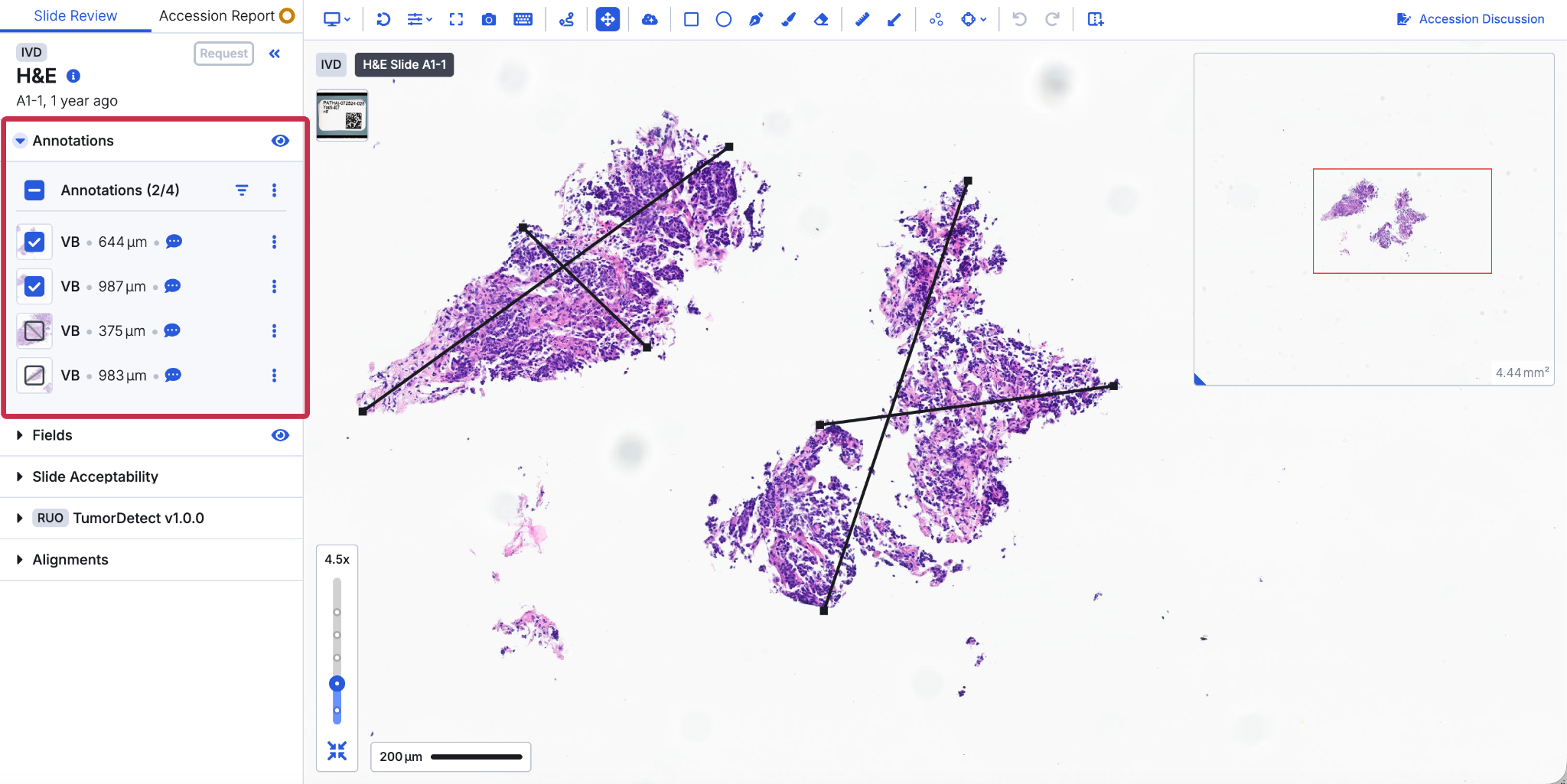
Figure 2: Bulk annotation management
Linear measurements can now be edited after placement by selecting the measurement and dragging the end points, eliminating the need to delete and redraw making it easier to finetune measurements as needed.
Furthermore, AISight Dx v2.21 is introducing more intuitive shortcut mapping on top of a new motion-based Rotation mode that lets users rotate slides naturally by holding the shortcut and moving the cursor. Shortcuts are also easier to find using the provided search bar on any shortcut menu.
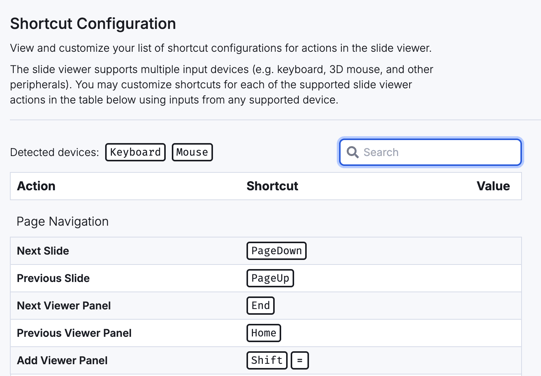
Figure 3: Shortcut search bar
Collaboration
Inviting colleagues to collaborative sessions is now faster and smarter. Online users appear at the top with green indicators, recently collaborated users are highlighted for quick selection, and invitees receive instant platform notifications
Data Organization
As volumes grow, so does the need for precise organization. v2.21 introduces powerful new tools for managing slides, specimens, and bulk ingestion at scale.
Bulk ingestion now supports Specimen, Block ID, and Slide ID fields, improving slide organization and enabling specimen-level reporting and hierarchical tray grouping. Authorized users can also create and manage Clinician Preferences through a new Library tab, with relevant preferences displayed automatically based on case events.
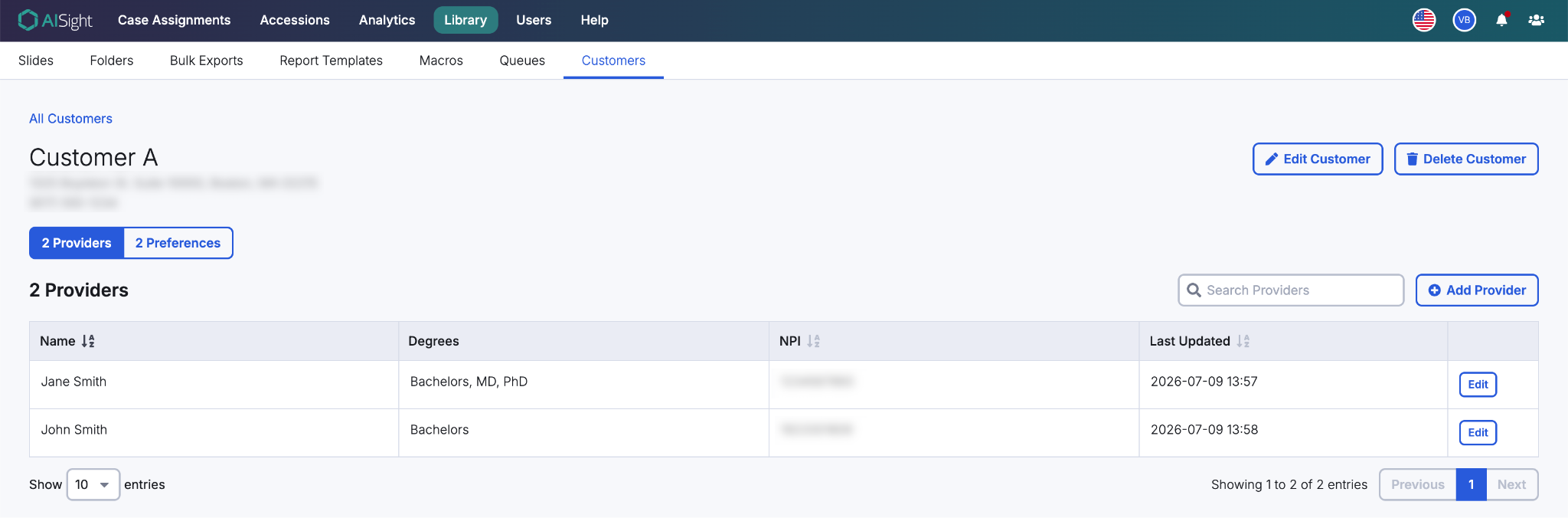
Figure 4: Customers tab allowing addition of providers and clinician preferences
Greater Storage Support
Users can also reduce long-term storage costs by archiving slides to Glacier Deep Archive. Archived slides can be restored on demand without reprocessing, automatically returning to standard storage once ready for use.
AISight Dx v2.21 marks another important step in PathAI’s continued investment in the platform, delivering greater flexibility, efficiency, and operational control across digital pathology workflows. And we’re just getting started.
To explore these updates or schedule a walkthrough with our team, reach out at digitaldx@pathai.com or schedule a demo here.
AISight® Dx is FDA-cleared for primary diagnosis in the US and is CE‑IVD–marked for primary diagnosis in the EEA, UK, and Switzerland.